
Asset hierarchies
2025
Helping users navigate their catalogs by surfacing parent-child relationships between assets.
ContributionUX + Visual + Research
Duration~9 months
OutcomeOn track to ship Q1 2026 in watsonx.data intelligence
Before: a single list of assets
Previously users could only browse their catalog as a flat list of all assets.
This ignored the relationships between assets, making it difficult to understand how they connected within the technical infrastructure.
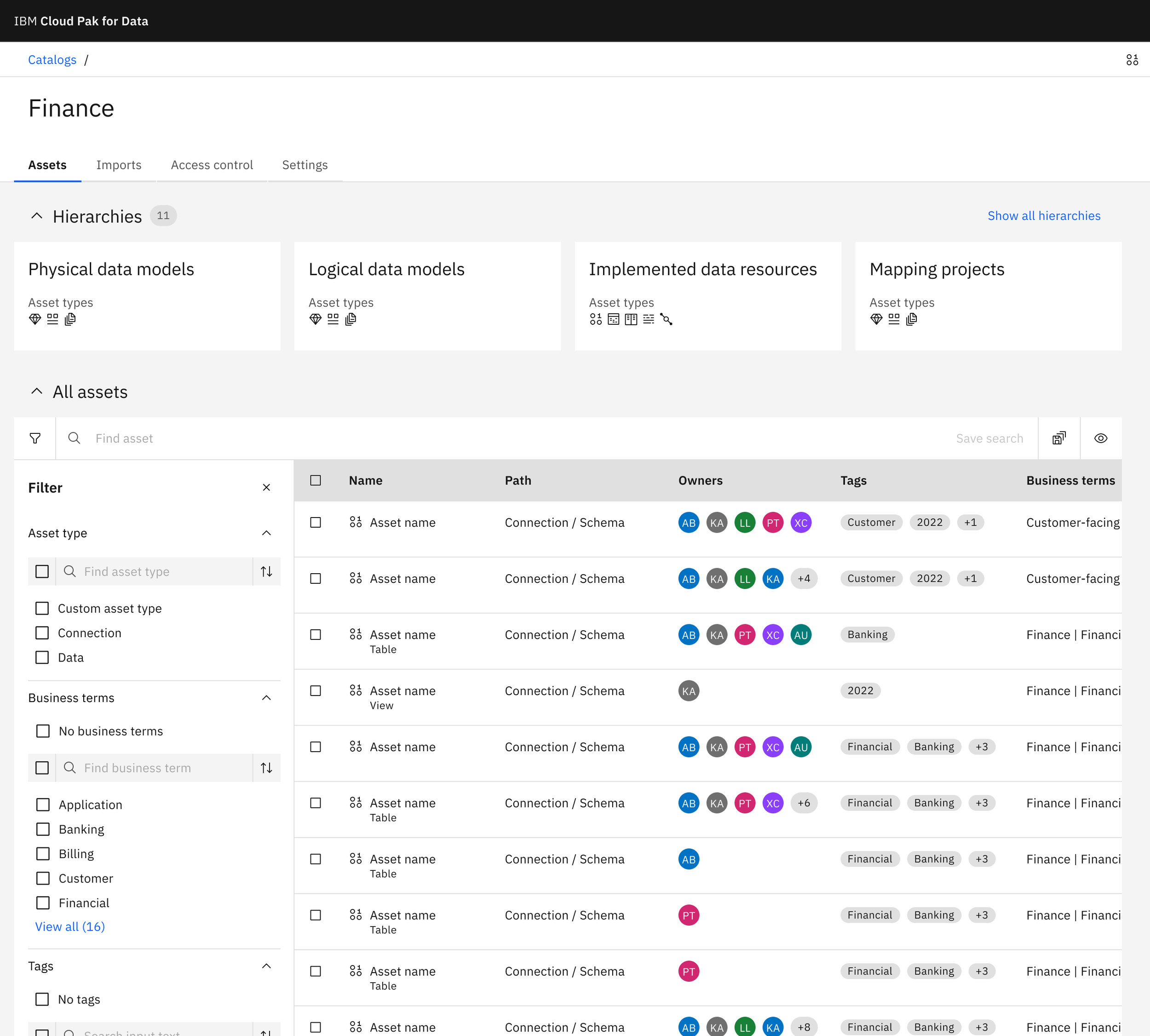
Before: A flat list contains all assets, regardless of their relationships.
“It’s too cumbersome. I need a way to browse the relationships between databases, schemas, and tables in an intuitive way.”
Research and explorations
To understand how users would browse hierarchies, I met with several clients to learn:
What kind of information does a hierarchy need to include?
How many levels would a hierarchy have?
Where would users expect to see an asset’s hierarchy path?
This helped determine which browsing pattern would be most applicable.
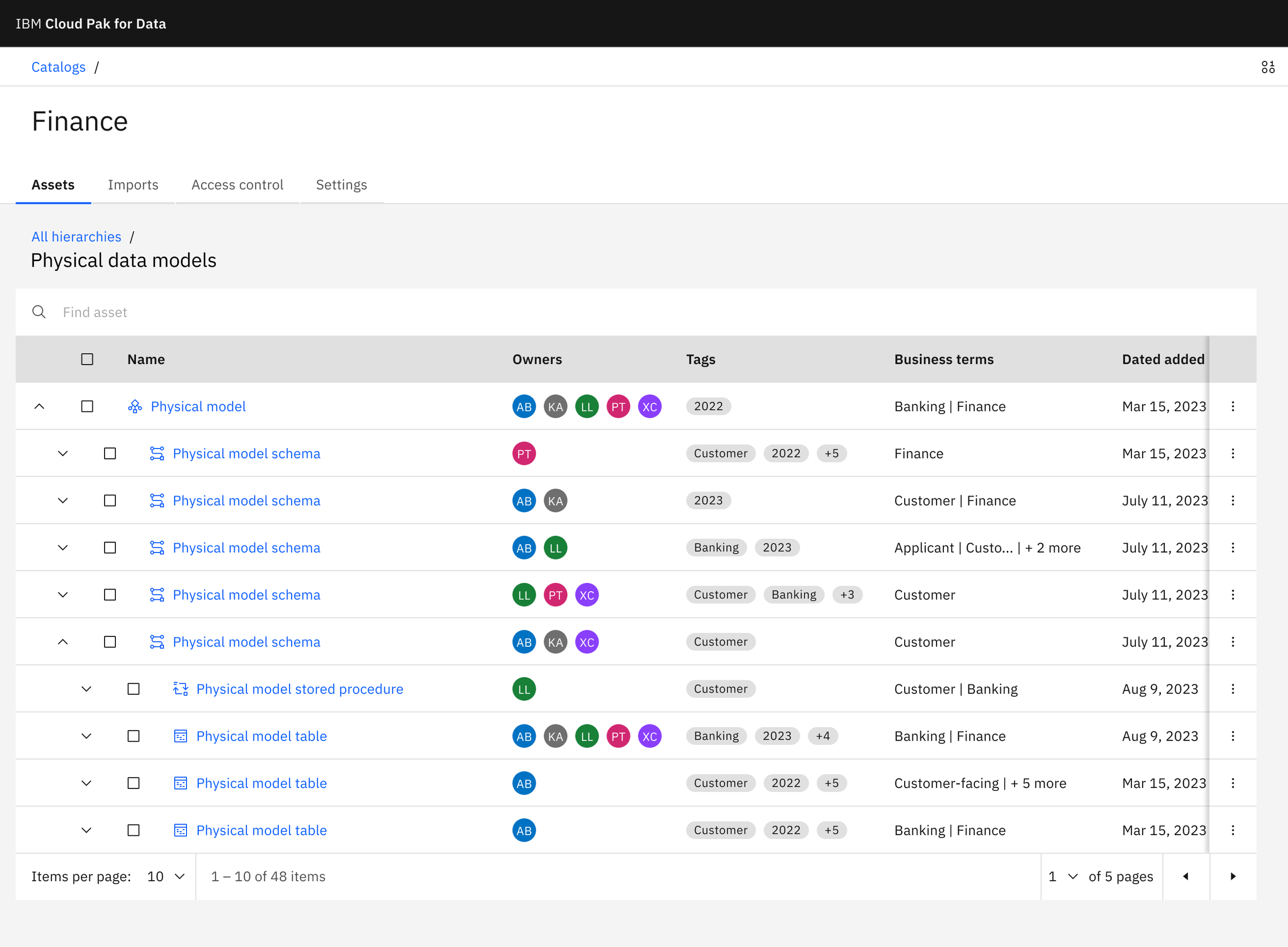
Exploration: I explored merging the hierarchy into the existing list of assets with accordions, but this pattern became too difficult to read after 4-5 levels deep.
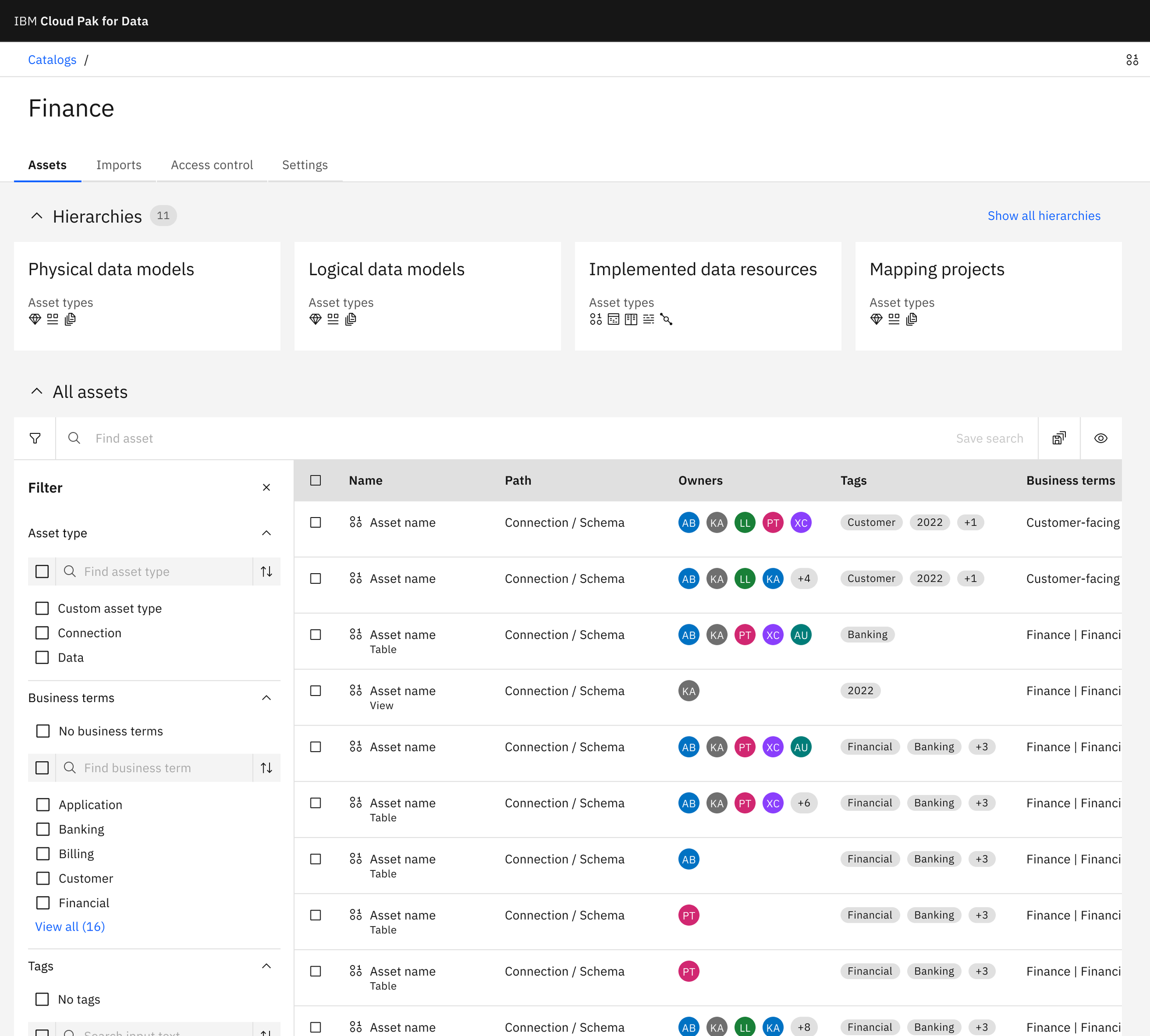
Exploration: I explored launching the hierarchy experience from cards, but this didn’t quite match the mental model of a tree structure and didn’t scale well.
Exploration: The most promising direction combined a cascading list for browsing all hierarchies and a tree view for viewing a specific asset’s location in the hierarchy.
“I like the idea to drill down and view connected assets in one visual space.”
🚀
Final design
👩🏼💻
🚀 Final design 👩🏼💻
Bulk actions across levels
Once we established how users would browse hierarchies, I ensured users could still act on their assets, even if they spanned multiple levels.
How might users manage assets across different levels?
How would users keep track of selected items if they aren’t always visible?
I designed a label system that helps users keep track of their selected items, even when hidden within the hierarchy.
Keeping the hierarchy visible
While cascading panels help users browse across levels, what happens to the hierarchy when they drill into asset details?
I designed a hierarchy tree panel for asset detail pages that keeps the asset's full context always visible.
Clicking on an asset from the hierarchy browser opens the asset details with the hierarchy panel automatically expanded and the active asset highlighted.
“It's a nice quality of life feature to be able to drill down to a specific level.”
— Client, defense industryFinal considerations
I am excited to build on this work as we allow users to create custom hierarchies or organize their assets in other ways, such as folders.
This work lays a great foundation to continue improving the scalability and flexibility of our product.