
Scaling metadata enrichment
2022
Helping enterprise data stewards govern thousands of assets at scale with AI-powered term and classification suggestions.
The team
Myself – UX + Visual Design
Susie Park – UX Design
Kathy Alvero – User Research
Duration 4 months
Outcome 🚀 Shipped in IBM Cloud Pak for Data
The problem
“It’s very cumbersome, there’s too many steps. It doesn’t happen fast enough.”
Data stewards are responsible for making their organization's data assets findable, trustworthy, and usable.
This requires manually reviewing thousands of assets and assigning business terms and data classes to each one—a process that commonly took weeks or months to complete.
My role
I owned the UX and visual design for the core table experience and worked directly with engineering through implementation.
An initial concept was already underway when I joined the project, so my focus was the unsolved problem at the center of it: how do you present AI suggestions, confidence scores, workflow states, and bulk actions in a single table without overwhelming the person using it?
Starting with a dense wall of information
My main focus for this project was improving the table listing the metadata enrichment project’s assets.
The existing concept had all the right info, but how was the user supposed to know what was most important, or what his next step should be?
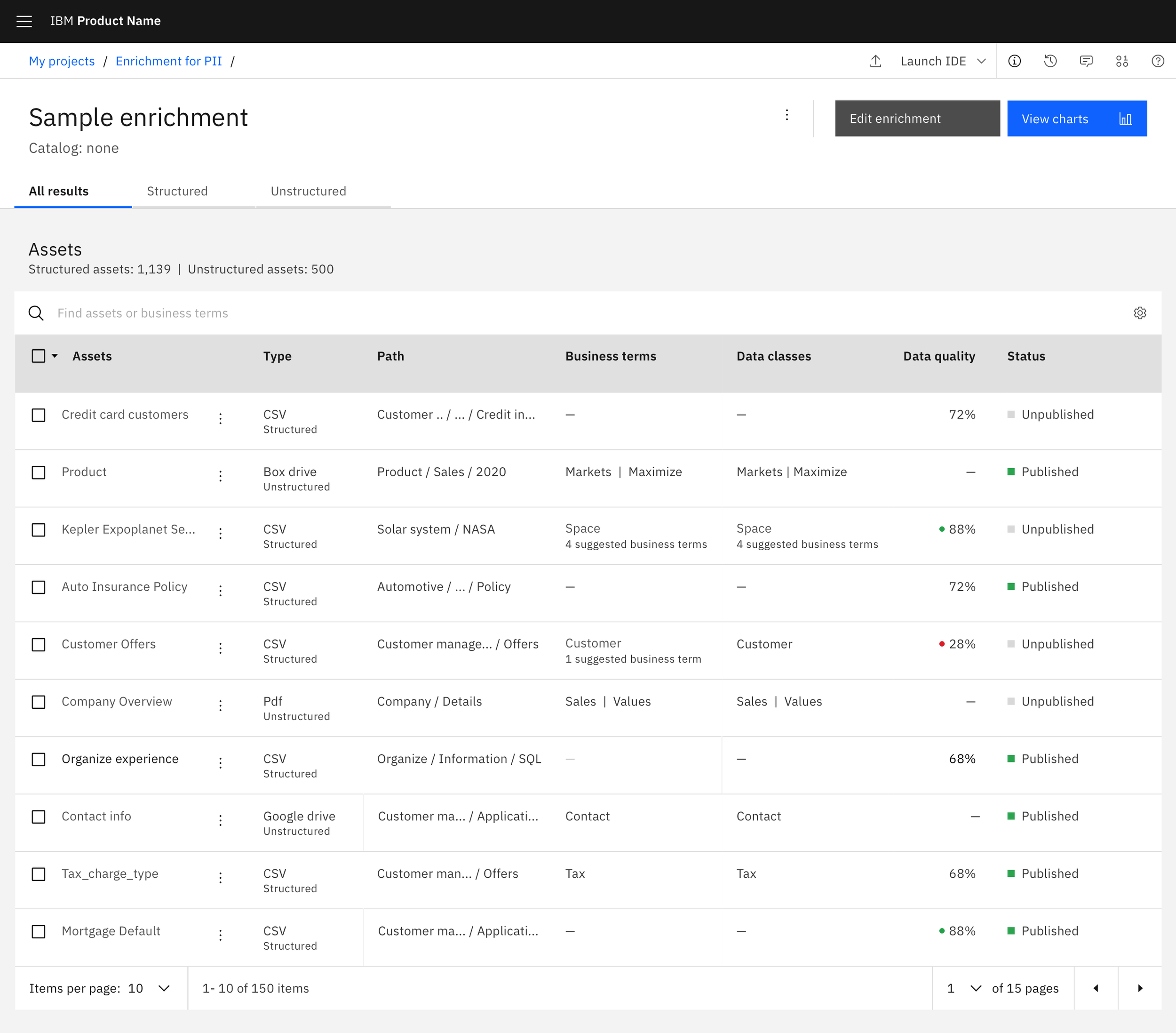
Before: all columns compete for attention equally and there's no visual path through the data.
Key design decisions
Using color and shape to create a visual path
To highlight the term assignment column, I moved the suggestion count into purple tags. This helps draw the user’s attention to his next step of choosing the term he wants to assign.
Matching purple confidence scores in the right panel created an immediate visual association, letting the user assess AI confidence before committing to an assignment.
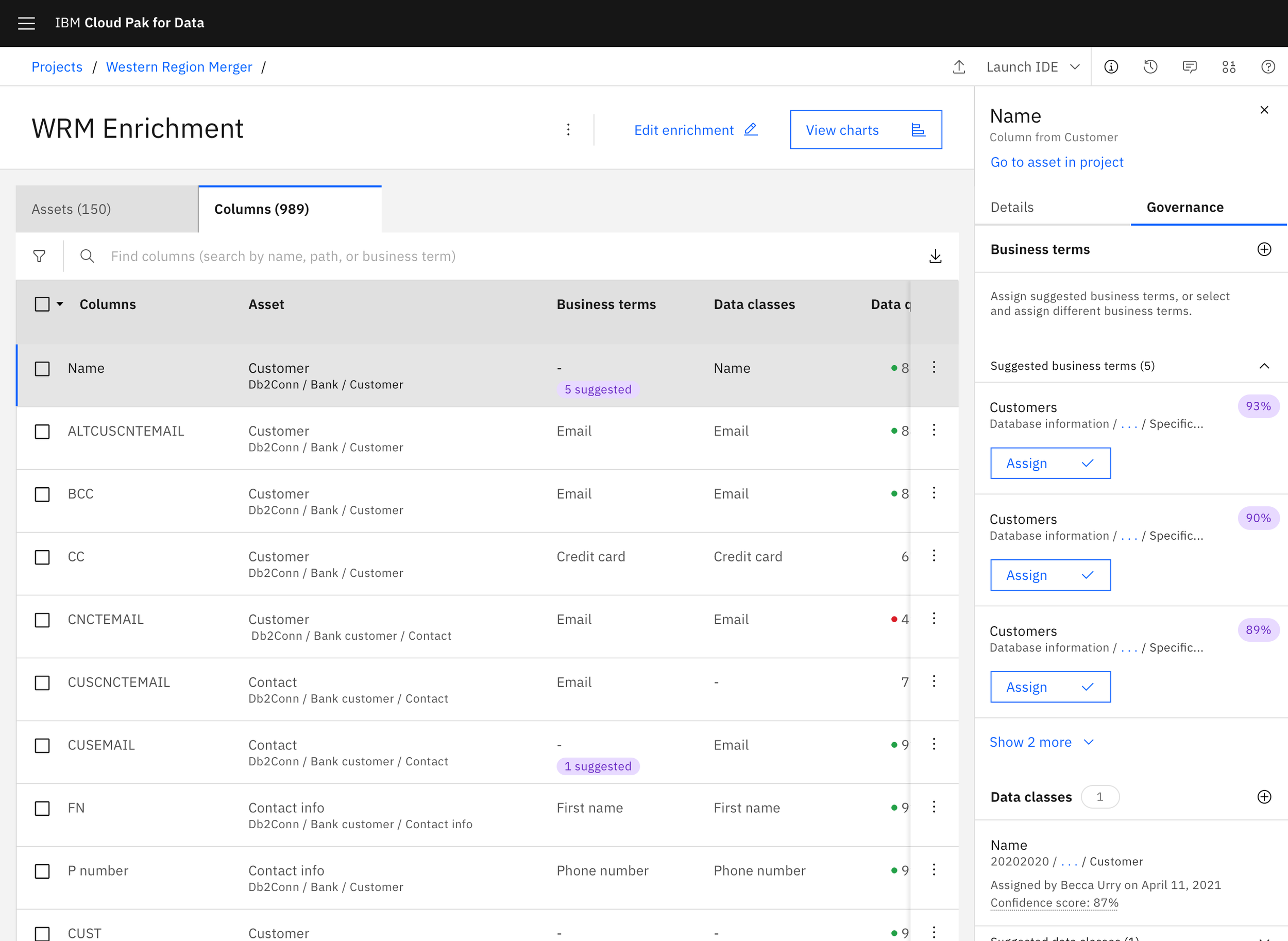
After: Repeating visual elements tie key information together across the experience
A workflow status system for collaboration
Stewards needed a way to signal to colleagues and distinguish between "AI has processed this" and "a human has reviewed and approved this." I designed a dedicated review status with distinct iconography per phase, using color sparingly at completion states to avoid adding noise to an already dense interface.
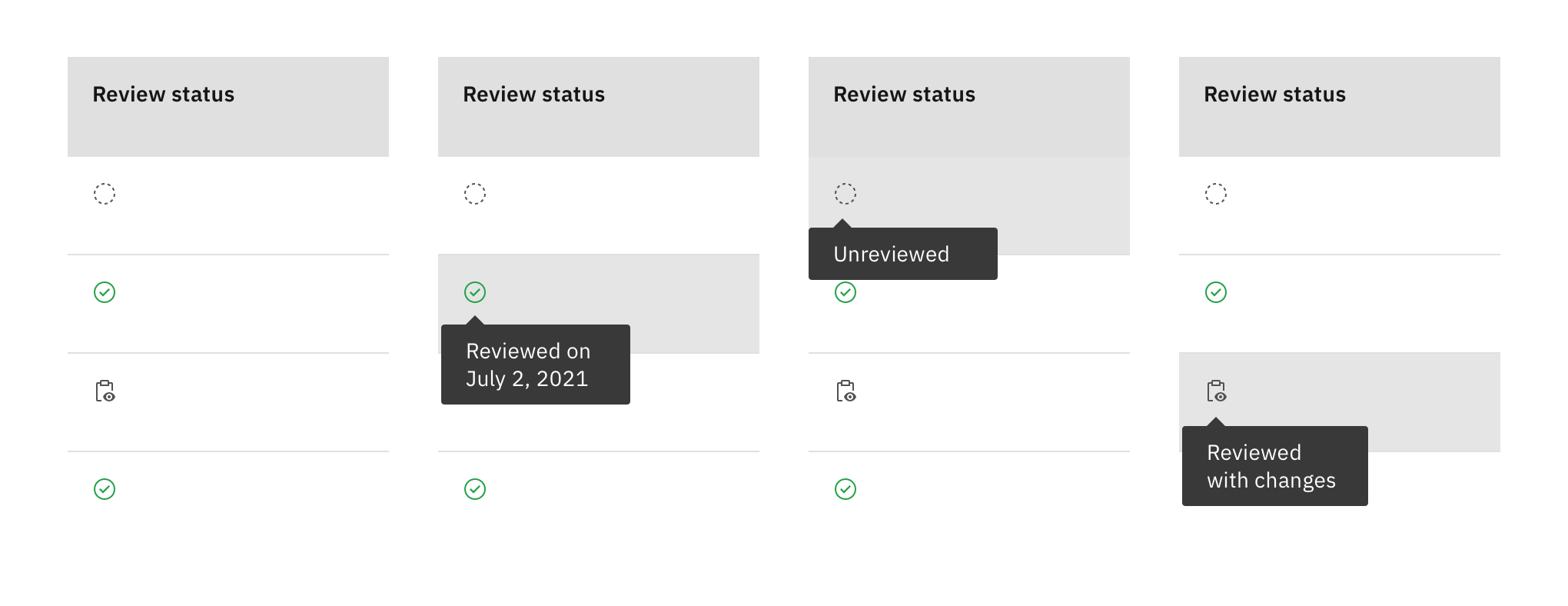
After: Specific icons represent each phase of the review workflow, keeping enrichment status and review status visually distinct.
Keeping users informed with micro-interactions
When dealing with scale, actions may take a few seconds to complete. To help users understand that their selected action is in progress, I designed an interim loading state that quickly transitions in confirmation.
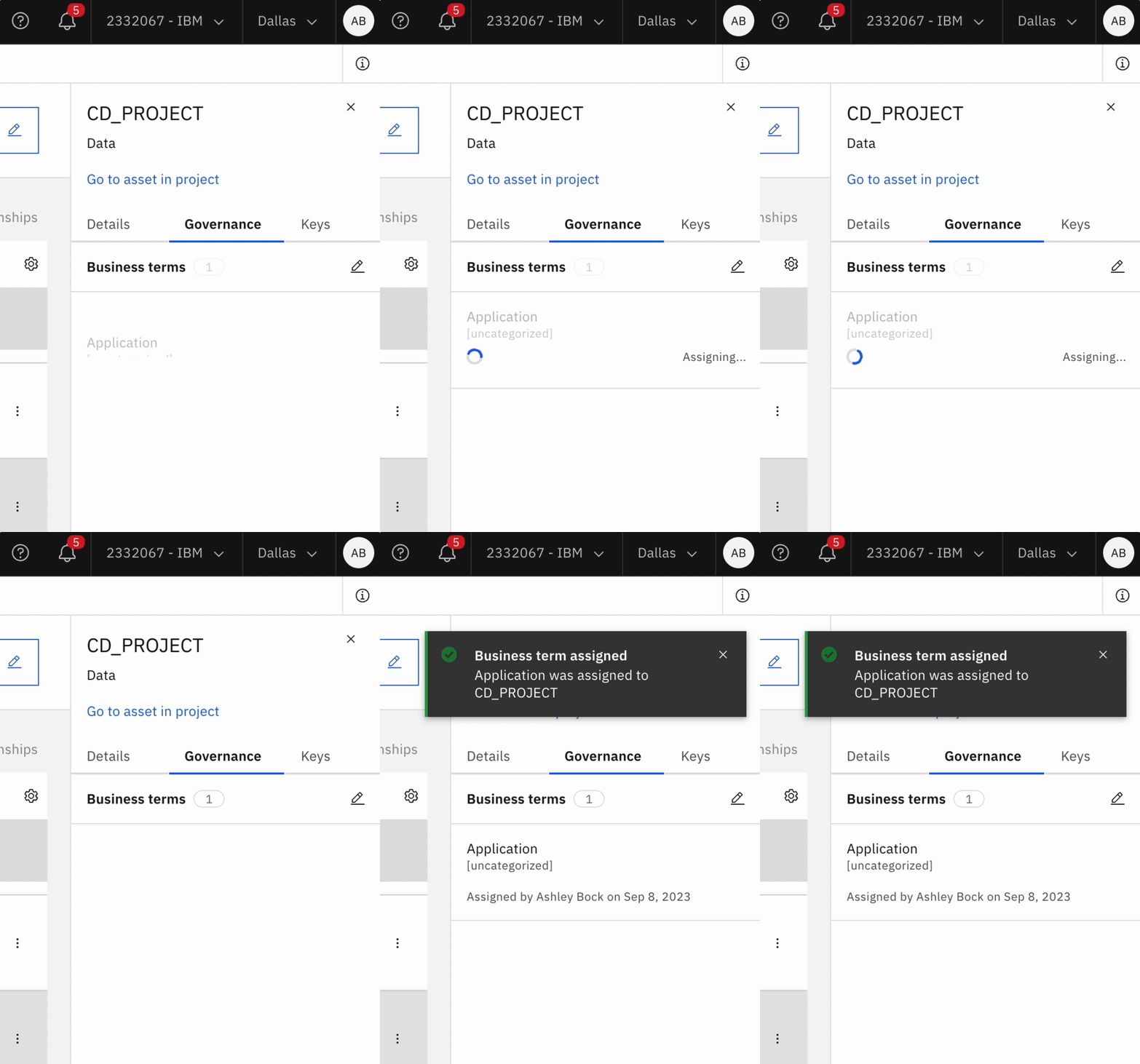
Designing for bulk actions, not individual assets
Stewards wanted to work through hundreds of assets at a time in batches. Bulk actions combined with filtering allowed them to act on entire subsets at once and accept high-confidence AI suggestions across an asset type in a single action. This was the primary mechanism for handling scale.
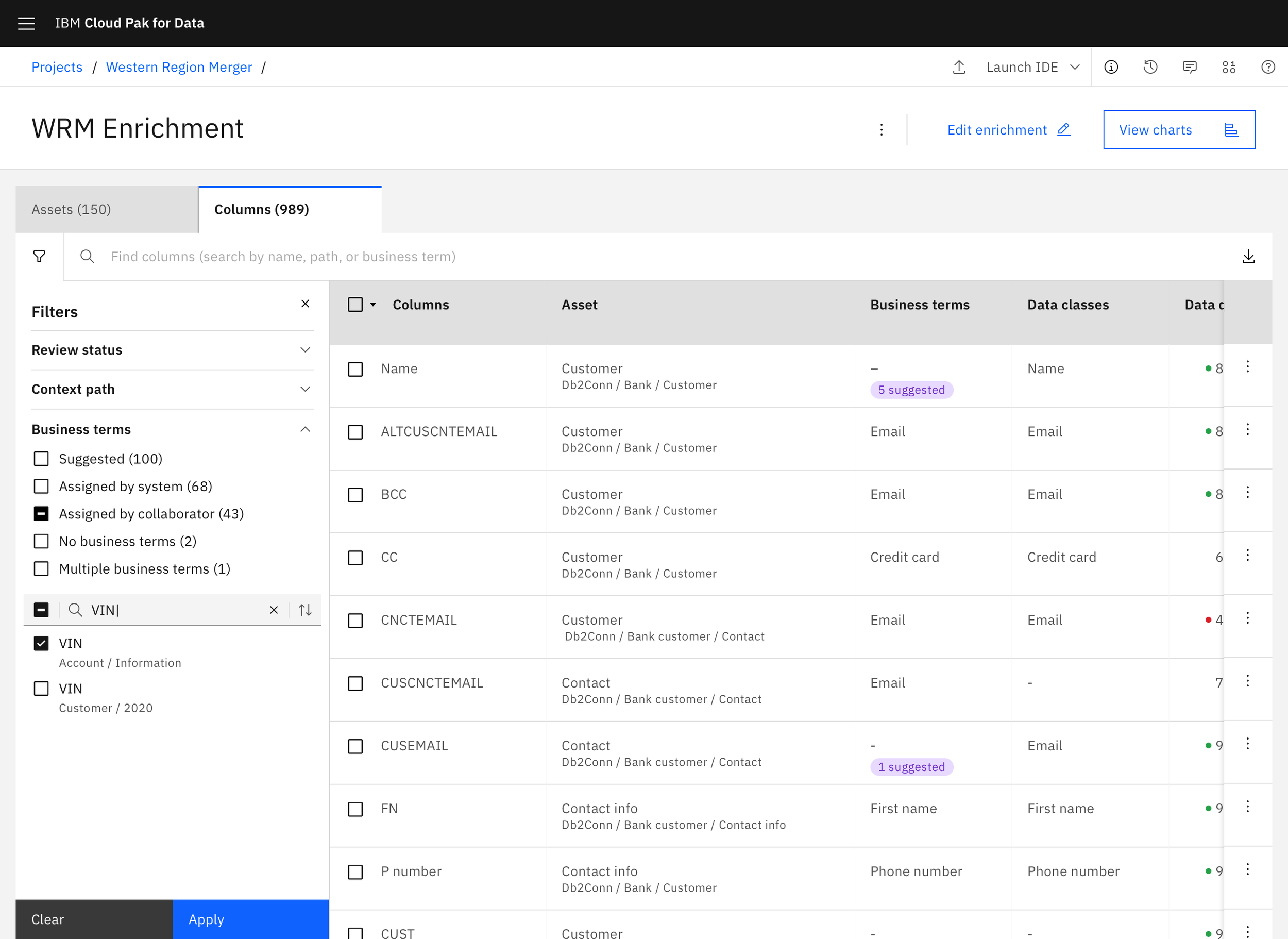
After: Filter buckets helped users quickly create batches of assets based on criteria that mattered to them
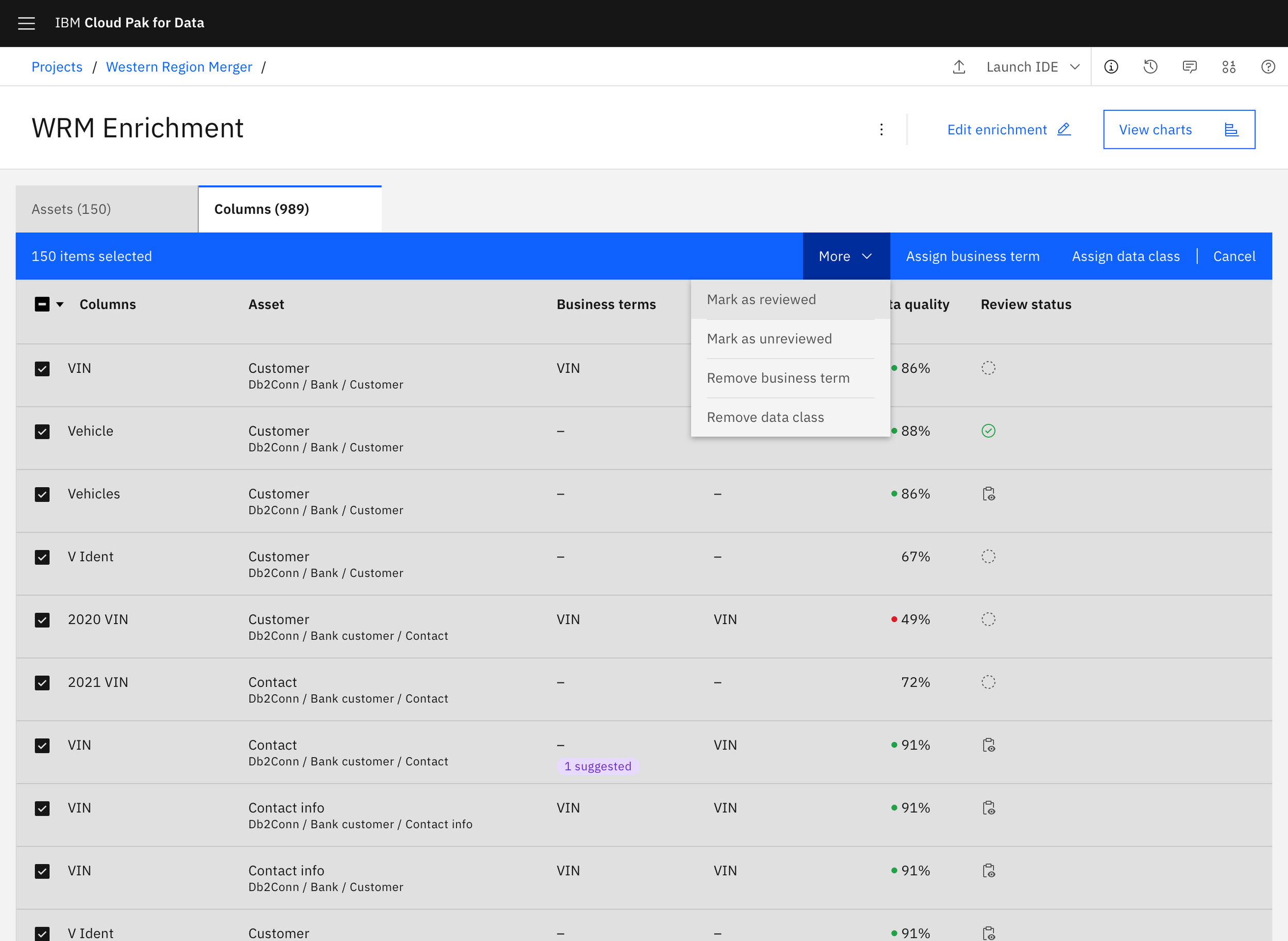
After: Batch actions allow users to work quickly through large numbers of assets
Outcome
Shipped in IBM Cloud Pak for Data and reduced data onboarding from weeks to days through AI-assisted classification.
Read my product manager’s blog post on the release.
“This is the functionality we are looking for. It will actually increase velocity and number of assets you can classify.”
Final considerations
Balancing a dense table of information with a layered workflow of actions was one of the more complex visual challenges I've worked through. The constraint of not being able to simplify the information itself meant that every hierarchy decision had to work harder.
Since launch, other teams have continued building on this foundation, including updated LLM models to make auto-assignment even more accurate. The project is still live in the latest release.